
Update
Good news! Meta responded to the massive backlash by removing Muse Images from Facebook!!
I suspect it will be back soon, perhaps with the permissions off by defaults.
So, the rest of this post doesn’t apply. But I’m leaving it up, and will update it if/when Muse comes back.
You will be opted into Meta AI
Meta (owner of Facebook and Instagram) recently released something called Muse Image, a generative AI tool that allows Meta users to type in the IG handle of any user with a public profile, and incorporate their content into AI images.
Meta highlights how you can use Muse Images for your own photos, but in practice, your photos can be used by anyone, and you won’t even know it. You don’t get a notification, and so far I can’t find a way to track these generated images down.
No matter what you may think about generative AI, Meta doesn’t care, because if you have a public profile, Meta has made the default settings for your account opting in to letting anyone use your photos, including your profile photos, for this purpose. Combined with not providing notifications when your photos are used, or a way to track them down, this is all absolutely diabolical.
If you have a private account, or you’re under 18, you have nothing to worry about…yet. As of right now, use of your photos is not an option. But stay aware, because who knows what Meta will decide to do in the future.
How to opt out
This “feature” has not rolled out to all Instagram accounts yet, so you may not see what I’m seeing on my account, but keep checking.
If you want to opt out, you can follow these simple instructions. This is what it looks like on my Android phone, and I expect it will look the same on iPhones.
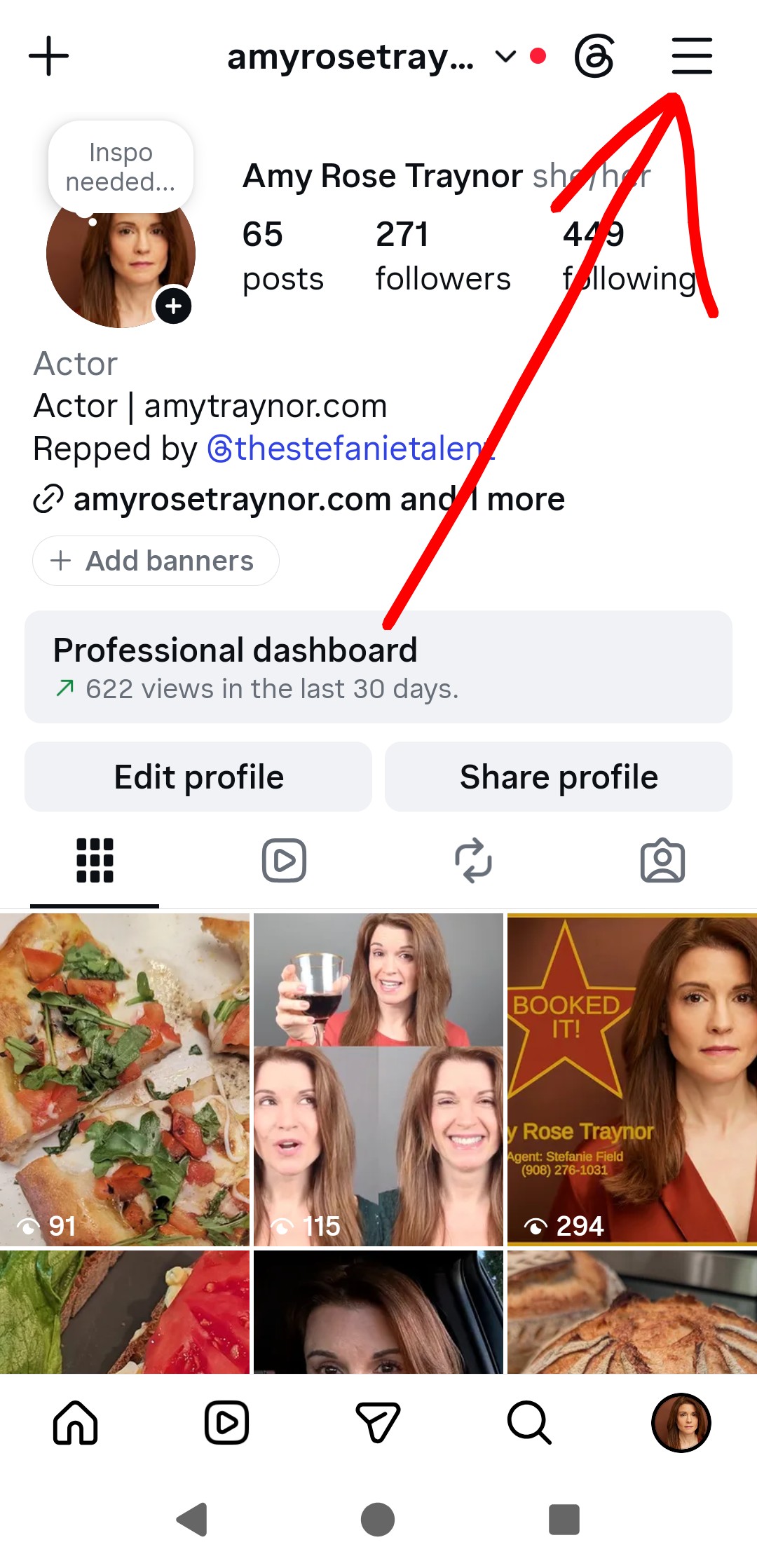
Click on the hamburger (the three lines at the top of your screen)

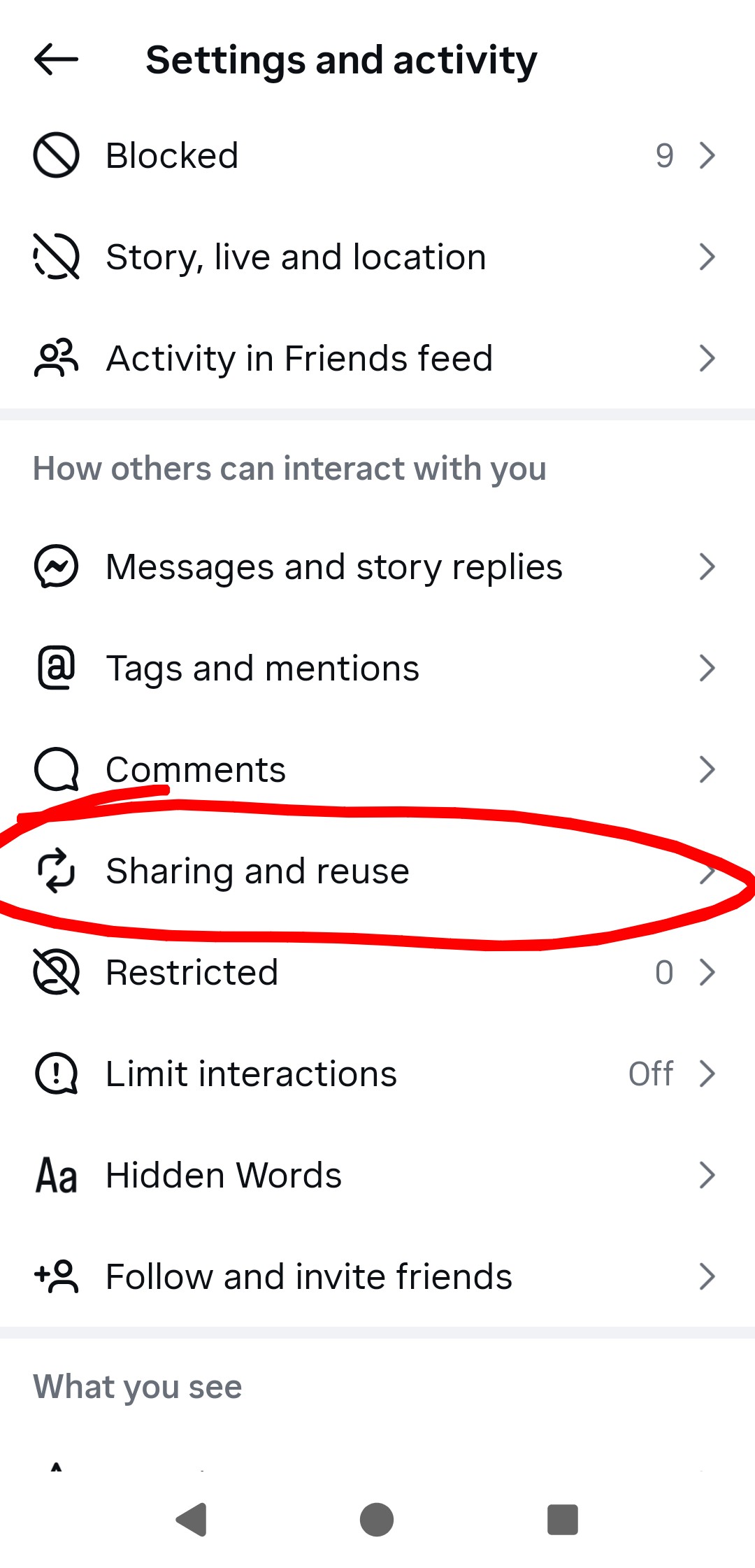
Scroll down to Sharing and reuse, and click on it
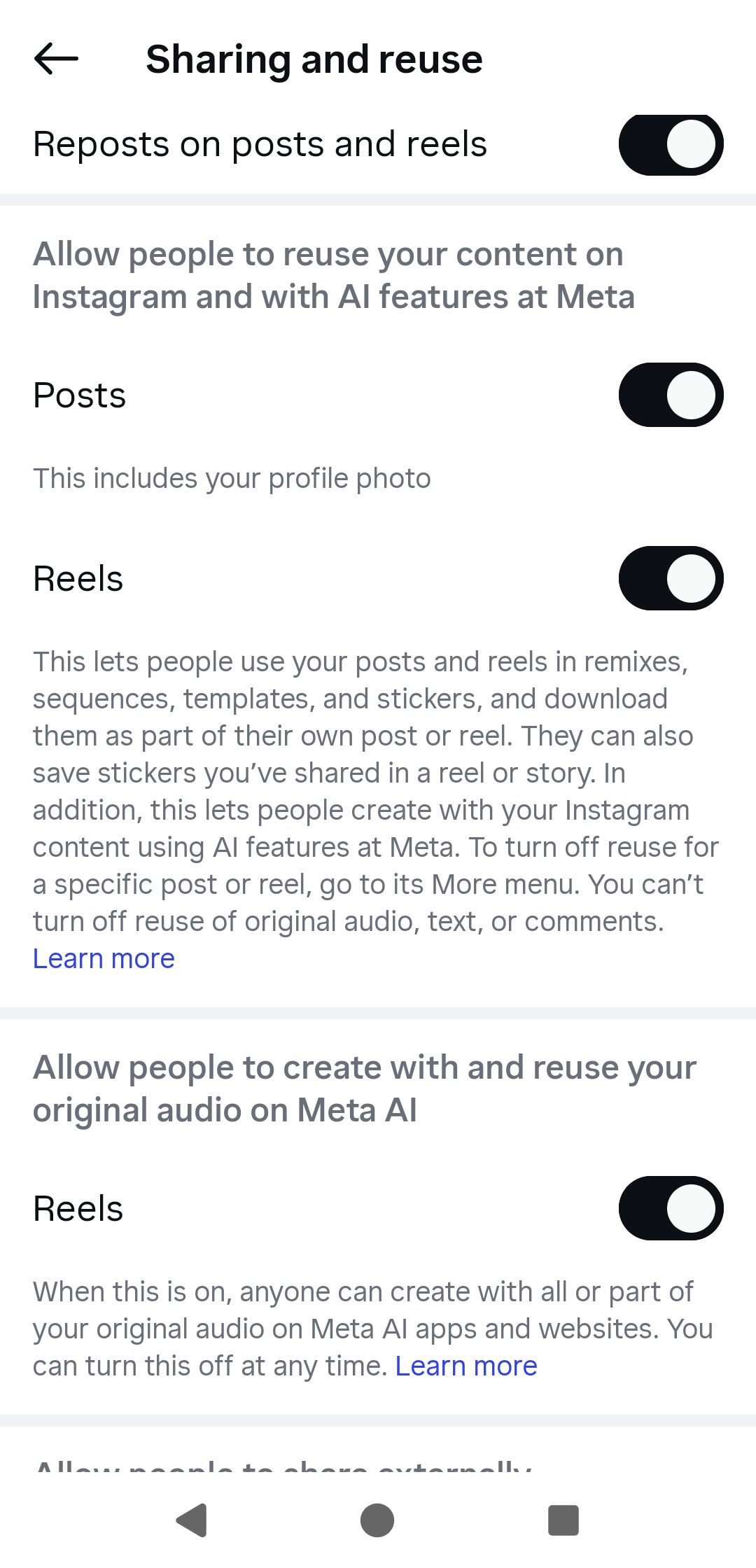
Scroll down to Allow people to reuse your content on Instagram and with AI features at Meta
Click on both switches to turn them off. Also turn off the switch for Allow people to create with and reuse your original audio on Meta AI.
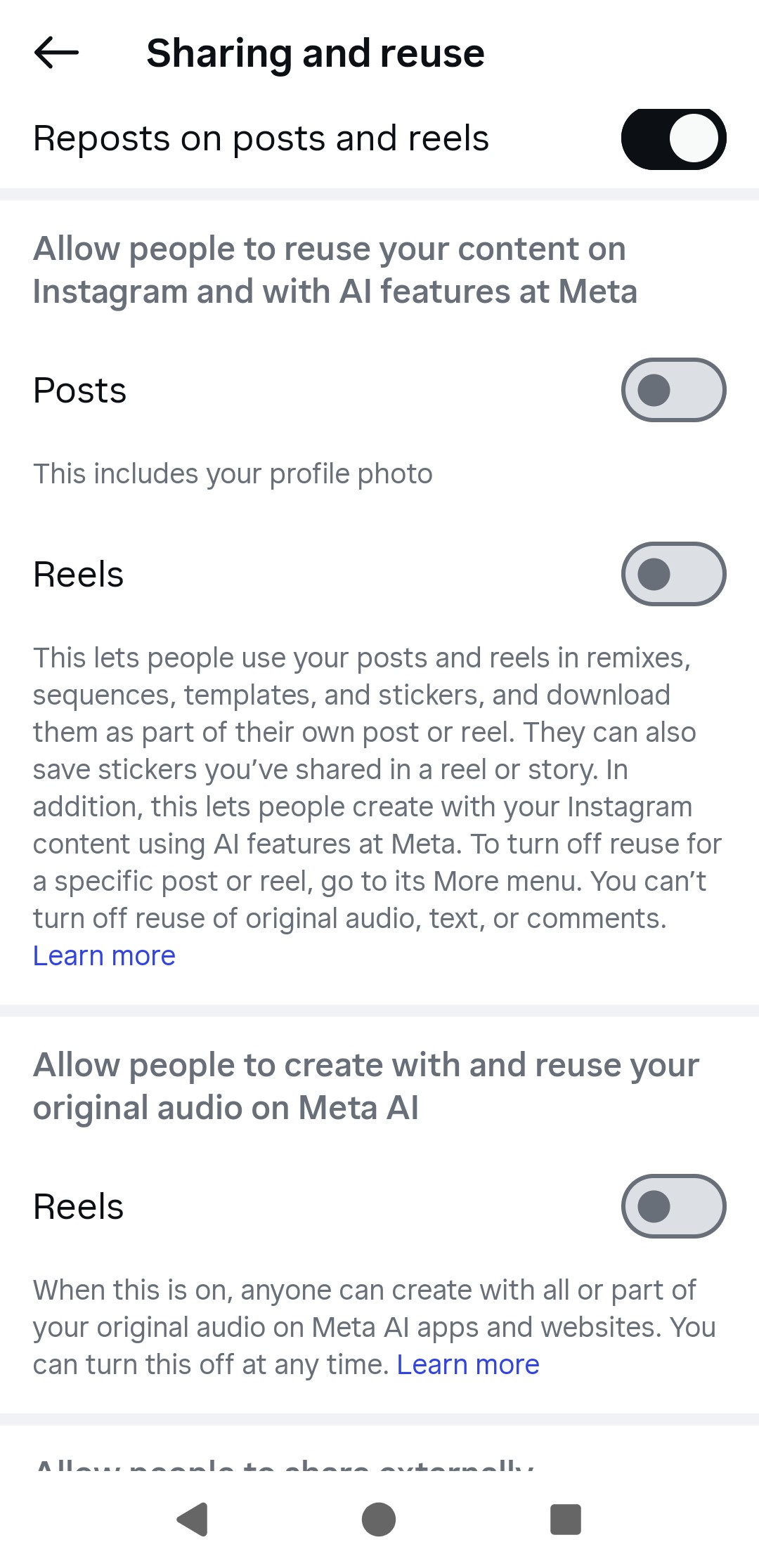
That’s it. It’s easy to turn off, but only if you know it’s there in the first place.
Instagram has provided instructions for different devices here.
If you don’t see a Sharing and Reuse option in your settings, you either have a private account, you have an account for someone who is under 18, or Muse Image hasn’t been added to your account yet. When I checked two days ago, it wasn’t there. When I checked this morning, it was there, and I was opted in.
Individual post permissions
Supposedly, you can change permission on each individual post. However, I tried this a bunch of different ways (with my account-level positions on, then off, then on again), with both existing posts and new posts, and I couldn’t find any AI options, so this part might not have rolled out yet. I’ll keep checking and update this post with any new info.
I’ll admit that I’m confused by this language in the official Instagram instructions:
“You can change your settings for all media you post at the account level. Note that changes made at the account level only apply to future media.”
I *think* what this means is that it applies to future AI images generated from your photos. But honestly, I’m not sure. It’s vague. It could be interpreted as also only applying to media that *I* post in the future, meaning that content I’ve posted in the past could still be used by Muse Image. So to be safe, I tried to change the permissions for each of my existing posts, but as I mentioned above, I could not find that option.
Existing AI posts won’t be affected
Any AI images or videos already made by Muse using your content will not be deleted if you delete the photos/videos used or change the permissions. As far as I can tell, once they’re out there, they’re out there. So keep checking your account, and turn off the permissions as soon as you can.